Effectively organize your notes and information
Microsoft no longer offers a trial version of Microsoft Office OneNote 2010. You can download a free version of OneNote 2013 instead.
Top Recommended Alternative
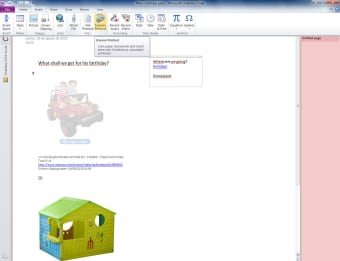
Microsoft Office OneNote is a powerful tool to help you organize your life. Besides organizing text notes, the application allows you to insert images, audio and video into your notes.
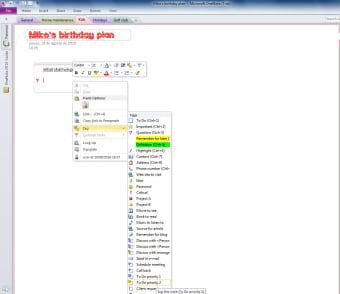
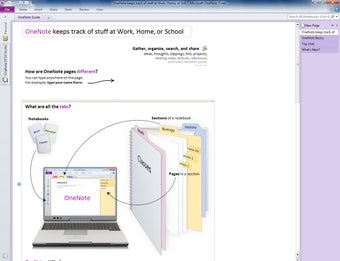
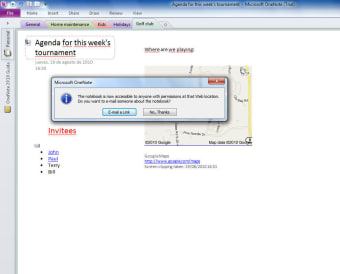
Using Microsoft Office OneNote feels very much like working with a regular notebook, and the interface adopts a very natural approach. You can click anywhere on the page and start typing.OneNote instantly inserts a box around what you're typing, into which you can insert items such as audio, links, sound, documents, email addresses and more.You can pick things up and drag them to anywhere on the page. Improving your productivity It takes a while to find your feet with Microsoft Office OneNote because of the sheer scale of the app.There are plenty of useful productivity-enhancing tools to discover, though. For instance, you can draw onto your documents using pens and highlighters, and clip snippets from web sites to insert into your notes.You can tag notes with all manner of preset tags, which compliments Microsoft Office OneNote's powerful search functionality. Managing your notebooks with Microsoft Office OneNote is very straightforward.You can create multiple notebooks, allowing you to have separate ones for work, home or studies. These show up in the form of tabs running down the side of the page.Each notebook in Microsoft Office OneNote can be divided into as many sections as you like, which take the form of differently colored tabs above the page.
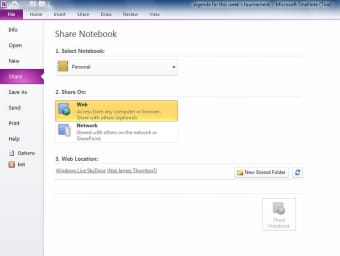
Sharing your notes The sharing capabilities of Microsoft Office OneNote are excellent. You can sync the documents online and share them with friends, colleagues or business associates (even if they don't have OneNote installed).Furthermore, the application can be synced with Microsoft Outlook to schedule tasks in your calendar of time-related documents you've created.
Microsoft Office OneNote borrows the impressive spelling and grammar checking from Word, and it also allows you to translate highlighted text.A thesaurus is available in English, French, German, Arabic, Spanish and Dutch. Don't be put off by the daunting nature of the app.